
For law firms on Clerx
Clerx for Outlook, Gmail and Google Calendar
Clerx is the AI receptionist for law firms. The Clerx add-in and add-on show you who is behind an email or a meeting, right next to it: their contact from your firm's CRM, the matters you are assigned to, and their recent calls with Clerx. Colleagues on your own email domain are skipped.
- See the CRM contact, your matters and recent calls beside every email
- Works in Outlook, Gmail and Google Calendar
- Reads only who an email is from and to, never the message
Works with the CRM your firm already uses.




Add-in for Microsoft Outlook
Clerx for Outlook

Open an email and the Clerx pane shows the sender. For an email you sent, it shows the first person you sent it to. Pin the pane and it follows you from email to email.
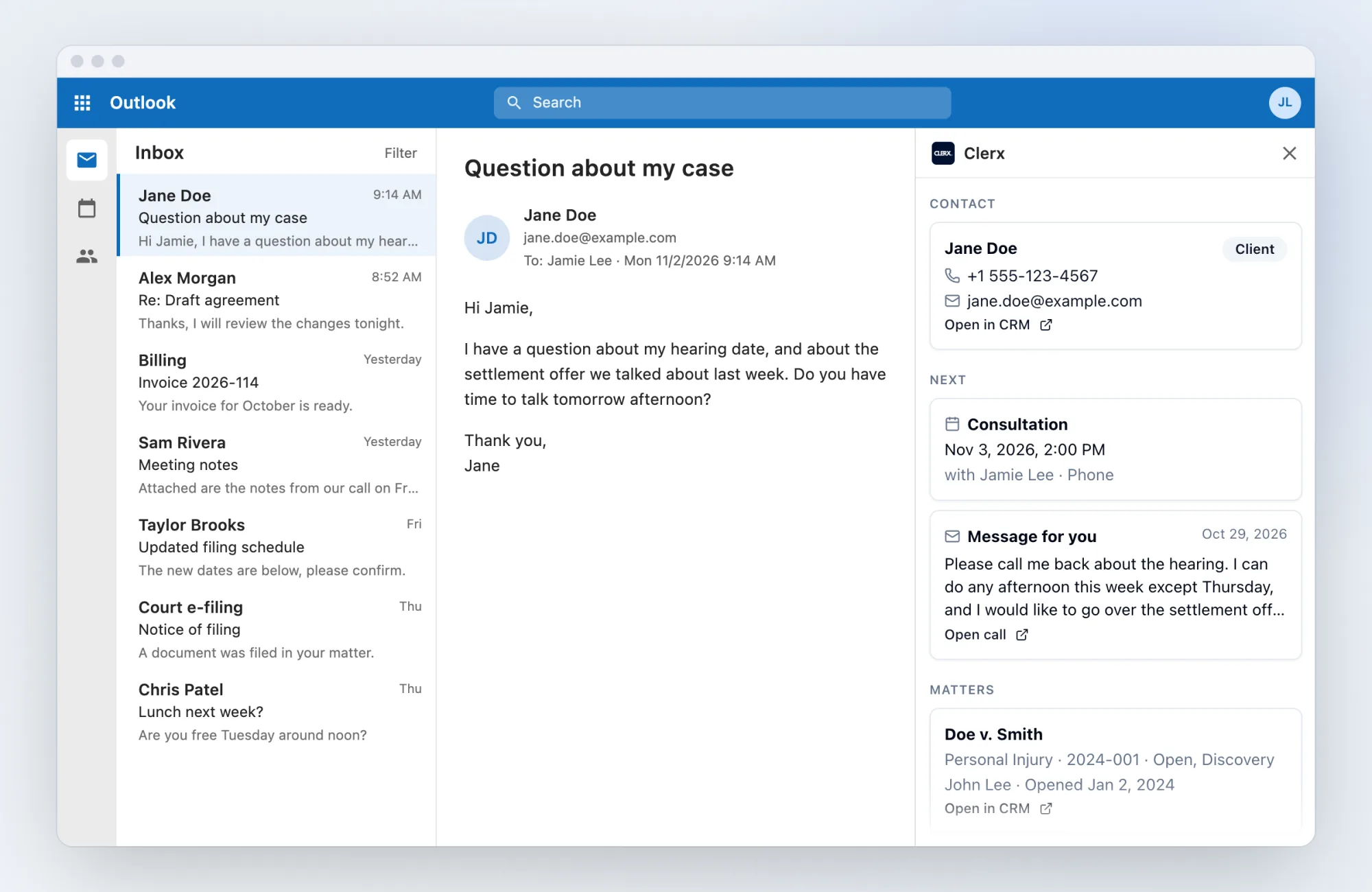
Works in: Outlook on the web, Outlook for Windows (new Outlook, or classic Outlook version 2409 or later) and Outlook for Mac (version 16.89 or later). Not in the Outlook mobile app.
Add-on for Google Workspace
Clerx for Gmail and Google Calendar


Open an email in Gmail, or an event in Google Calendar, and Clerx appears in the side panel. In Calendar it looks up the guests from outside your firm; with several, you pick one from a list.
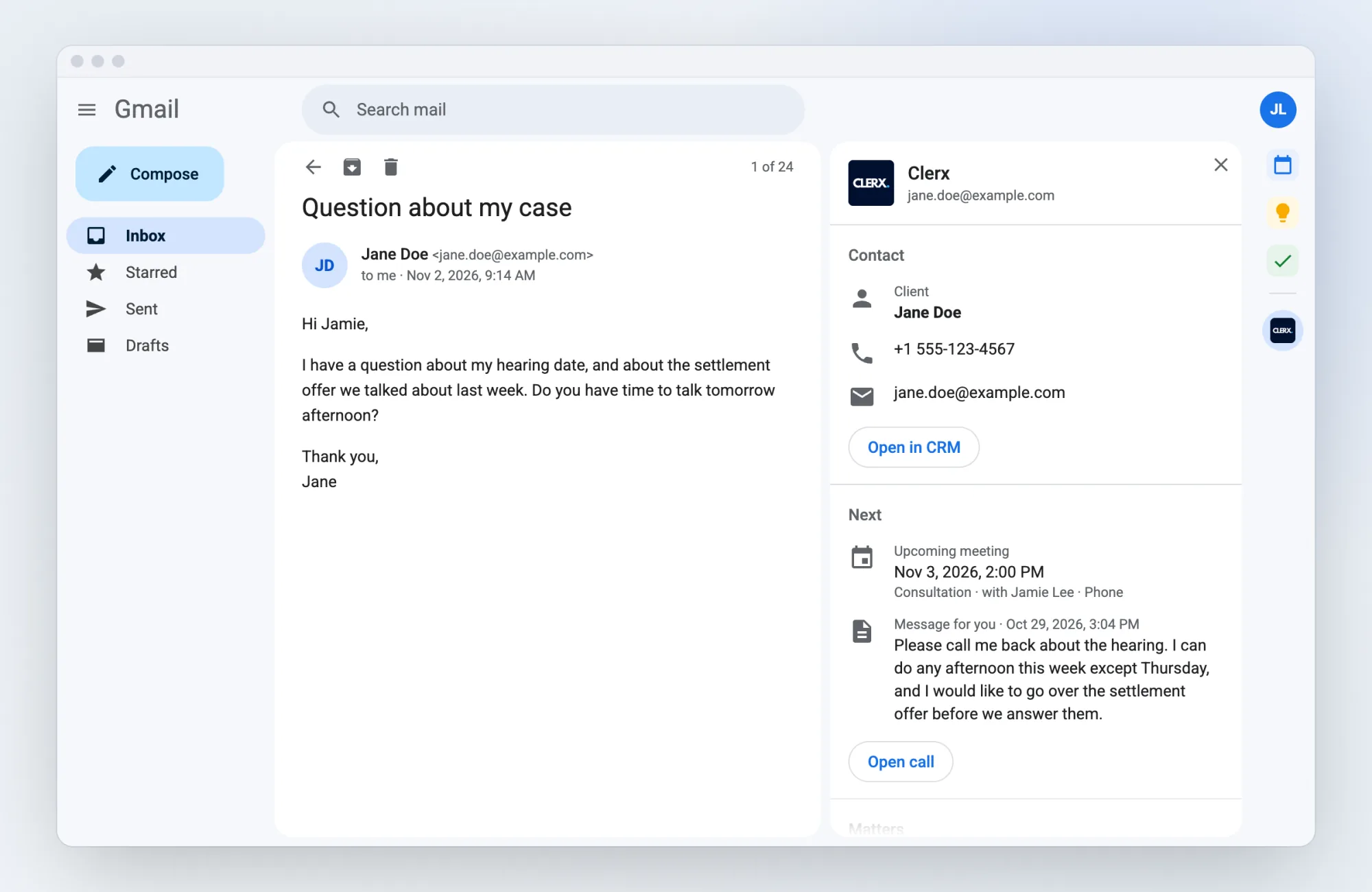
Works in: Gmail and Google Calendar.
What you see
Four sections, in the same order in Outlook, Gmail and Google Calendar.
Contact
Name, client or lead, phone number, email, and a link to open them in your CRM.
Next
An upcoming meeting this person booked through Clerx, and any message they left for you on a call.
Matters
The matters you are assigned to for that client, with practice area, number, status, attorney and date opened.
Recent calls
The last 5 calls Clerx answered from this person, with the reason for the call, a short summary and what happened: new lead, meeting booked, message left for someone at your firm.
Private by design
- In Gmail, Clerx reads only the From and To lines of the open email; in Outlook, only the sender and recipients. Never the subject, body or attachments.
- In Google Calendar, Clerx uses only the guest list of the open event. Never the title, description or location.
- Clerx keeps no email or calendar content, and does not store your Microsoft or Google tokens. The CRM answer is cached for up to 5 minutes, and each lookup is logged with a one-way hash of the address, never the address itself.
- In Outlook you sign in with your Microsoft 365 work account. There is no separate Clerx password, and Clerx asks for no access to your mailbox, calendar, contacts or files.
- Each person sees only their own firm's data, and only the matters they are assigned to.
- Clerx's use of information received from Google APIs adheres to the Google API Services User Data Policy, including the Limited Use requirements.
Details: Clerx Privacy Policy.
Requirements
A Clerx subscription
A paid Clerx subscription for your firm, with the add-in turned on by Clerx. Your Microsoft or Google account email must be the same as your Clerx user email.
A Clerx account
Without a Clerx account, the panel says the add-in isn't enabled for your account and looks nothing up.
A connected CRM
A CRM connected to Clerx: Clio, MyCase, Lawmatics, Lawcus or Smokeball.
Microsoft 365 for Outlook
For Outlook, a work or school Microsoft 365 mailbox (not Outlook.com). Your firm's IT may need to approve Clerx once in Microsoft Entra ID.
Get Clerx for your firm
The add-ins come with a Clerx subscription for your firm, and Clerx turns them on for you.
Book a Live Demo